Blog
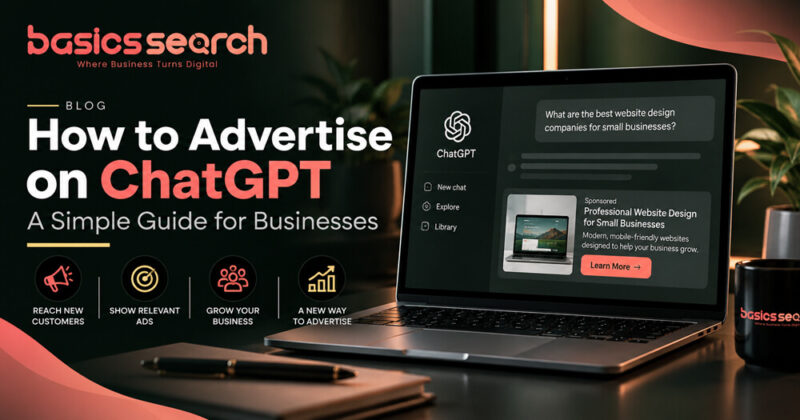
How to Advertise on ChatGPT: A Simple Guide for Businesses
Nov 01, 2026
Online advertising is always changing.
For years, businesses have mainly relied on platforms like Google, Facebook and Instagram to reach new customers. Now, ChatGPT is also starting to become part of the advertising world.
For small businesses, this could open up another way to reach people who are already searching for information, comparing services or looking for help with a decision.
If you are wondering how ChatGPT advertising works and how to get started, this guide explains the basics in simple terms.
What Are ChatGPT Ads?
ChatGPT ads are sponsored advertisements that may appear when someone is using ChatGPT.
The idea is simple.
If a person is having a conversation about something related to your product or service, a relevant sponsored advertisement may be shown separately from the normal ChatGPT answer.
For example, someone may be looking for a website designer, comparing business software or researching a particular service. A related business may then have the opportunity to show an advertisement.
The advert is clearly marked as sponsored, so users can tell the difference between an advertisement and the normal ChatGPT response.
Can Businesses Advertise on ChatGPT?
OpenAI has introduced an advertising platform called Ads Manager, where eligible businesses can set up and manage advertising campaigns.
Availability can depend on your country and account, so it is always worth checking the latest information before setting anything up.
If advertising is available for your business, the setup process is fairly straightforward.
Start with an OpenAI Account
The first thing you need is an OpenAI account.
If you already use ChatGPT, you may already have one.
For business advertising, it is usually a good idea to use a company email address where possible. This helps keep your business activity separate from your personal account.
Once your account is ready, you can sign in to OpenAI Ads Manager.
Add Your Business Information
During the setup, you will be asked to provide some basic information about your business.
This may include your business name, website, country, currency and time zone.
You may also be asked for your public brand name.
Your brand name is the name customers recognise.
For example, your legal business name may be slightly different from the name you use on your website or social media. In that case, you would usually want the customer-facing name to appear in your ads.
Take your time when entering this information, as some details may be difficult to change later.
Add Your Logo and Branding
A clear logo can make your advertisement look more professional and help people recognise your business.
Try to use the same logo and branding you already use on your website, Google Business Profile and social media pages.
Keeping everything consistent makes your business look more trustworthy.
Set Up Your Payment Details
Before you can start advertising, you will normally need to add your billing information.
This may include your payment card, billing address and invoice details.
If you are new to online advertising, it is usually better to begin with a budget you are comfortable with.
There is no need to spend heavily from the beginning.
Start small, see what works and increase your budget only if you are getting good results.
Decide What You Want from Your Campaign
Before creating an advert, think about what you actually want people to do.
- Do you want them to visit your website?
- Do you want them to request a quote?
- Do you want them to buy a product?
- Or do you simply want more people to know about your business?
Having one clear goal makes it much easier to create an effective campaign.
For example, if you are a web designer, your goal could be to bring people to your website design page and encourage them to request a quote.
Choose the Right Campaign Goal
Depending on the options available, you may be able to choose a goal such as getting more views, website clicks or conversions.
A view-based campaign may be useful if you are trying to build awareness.
A click-based campaign may suit businesses that want more website visitors.
A conversion campaign may be better if you want people to complete a specific action, such as making a purchase or submitting an enquiry form.
Choose the option that best matches your business goal.
Set a Sensible Budget
It can be tempting to spend more money in the hope of getting faster results, but this is not always the best approach.
For small businesses, testing is important.
You can start with a smaller budget, see how people respond to your advert and then make changes.
If the campaign performs well, you can slowly increase the budget.
If it does not perform well, you can improve the advert before spending more money.
Think About Your Audience
A good advert should speak to the right people.
Think about who is most likely to need your product or service.
- Are you trying to reach local customers?
- Business owners?
- People looking for a particular service?
The clearer you are about your ideal customer, the easier it will be to create a useful advert.
Your message should explain what you offer and why someone should choose you.
Keep Your Advertisement Simple
You do not need complicated marketing language.
In most cases, simple is better.
A good advert should quickly tell people:
- What you offer
- Who it is for
- Why it is useful
- What they should do next
For example:
Affordable Website Design for Small Businesses
Looking for a simple and professional website? We create modern, mobile-friendly websites designed to help small businesses grow online.
That is clear, easy to understand and gets straight to the point.
Send People to the Right Page
When someone clicks on your advertisement, make sure they land on a page that matches the advert.
If your advert is about website design, send them to your website design page.
If your advert is about SEO, send them to your SEO page.
Sending everyone to your homepage is not always the best option.
A good landing page should make it easy for people to understand the service and take the next step.
That could be filling in a contact form, calling your business or requesting a quote.
Check Everything Before Launching
Before you publish your campaign, take a few minutes to review everything.
Check your spelling, website link, image, headline, description and budget.
Also make sure the advert follows the advertising rules.
Once submitted, your advert may need to go through a review before it starts running.
Keep an Eye on the Results
Once your campaign is live, do not just leave it running without checking it.
Look at how people are responding.
- Are they seeing the advert?
- Are they clicking it?
- Are those clicks turning into enquiries or sales?
If people are seeing the advert but not clicking, your headline or message may need improving.
If people are clicking but not contacting you, the issue may be with your landing page.
Small changes can often make a big difference.
Is ChatGPT Advertising Worth Trying?
ChatGPT advertising is still much newer than Google Ads or Facebook Ads, so businesses should approach it with an open mind.
It may not replace the other advertising platforms you already use.
However, it could become another useful channel for reaching potential customers, especially people who are actively researching a product, service or problem.
For a small business, the safest approach is simple.
Start with a small campaign, watch the results and learn from the data.
Final Thoughts
Advertising on ChatGPT is another sign of how quickly digital marketing is changing.
For businesses, the basic setup is not too complicated.
You create an account, add your business details, set a budget, create an advert and track how it performs.
The most important thing is to keep your message clear and useful.
People do not want to read complicated advertising language. They simply want to know what you offer, how it can help them and what they need to do next.
At Basics Search, we help businesses improve their online presence through website design, SEO and digital marketing.
If you would like help improving your business online, get in touch with Basics Search.
Get in touch with us today to learn how our tailored digital services can help improve your website, online visibility, and overall business performance.